> ## Documentation Index
> Fetch the complete documentation index at: https://mintlify-nick-eng-3707-update-chat-endpoints-to-single-assi.mintlify.site/llms.txt
> Use this file to discover all available pages before exploring further.
# Custom domain
> Host your documentation at your website's custom domain
To set up your documentation on a custom domain, you'll need to set your desired custom domain in your Mintlify settings and configure your DNS settings on your domain provider.
Looking to set up a custom subdirectory like `mintlify.com/docs`? See the [custom subdirectory](/advanced/subpath/cloudflare) docs.
## Dashboard settings
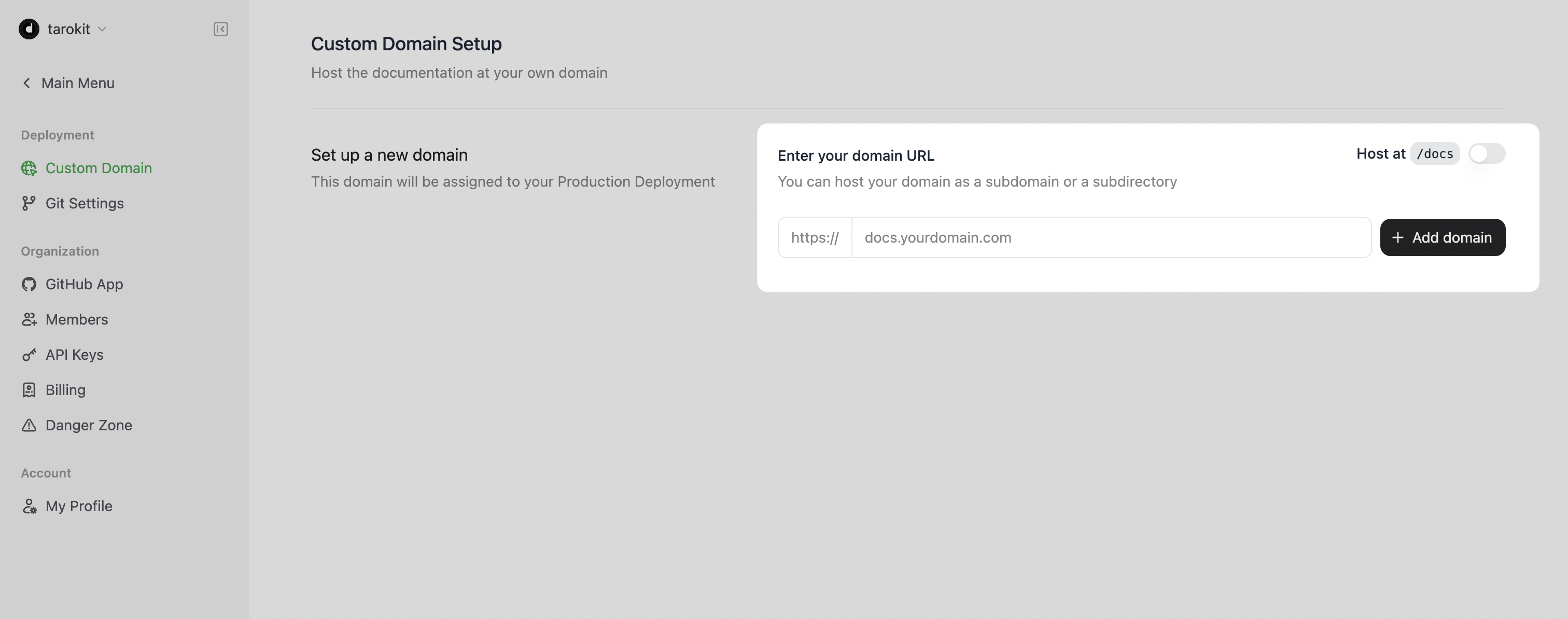
1. Navigate to your [dashboard](https://dashboard.mintlify.com)
2. Select **Settings**
3. Select **Domain Setup**
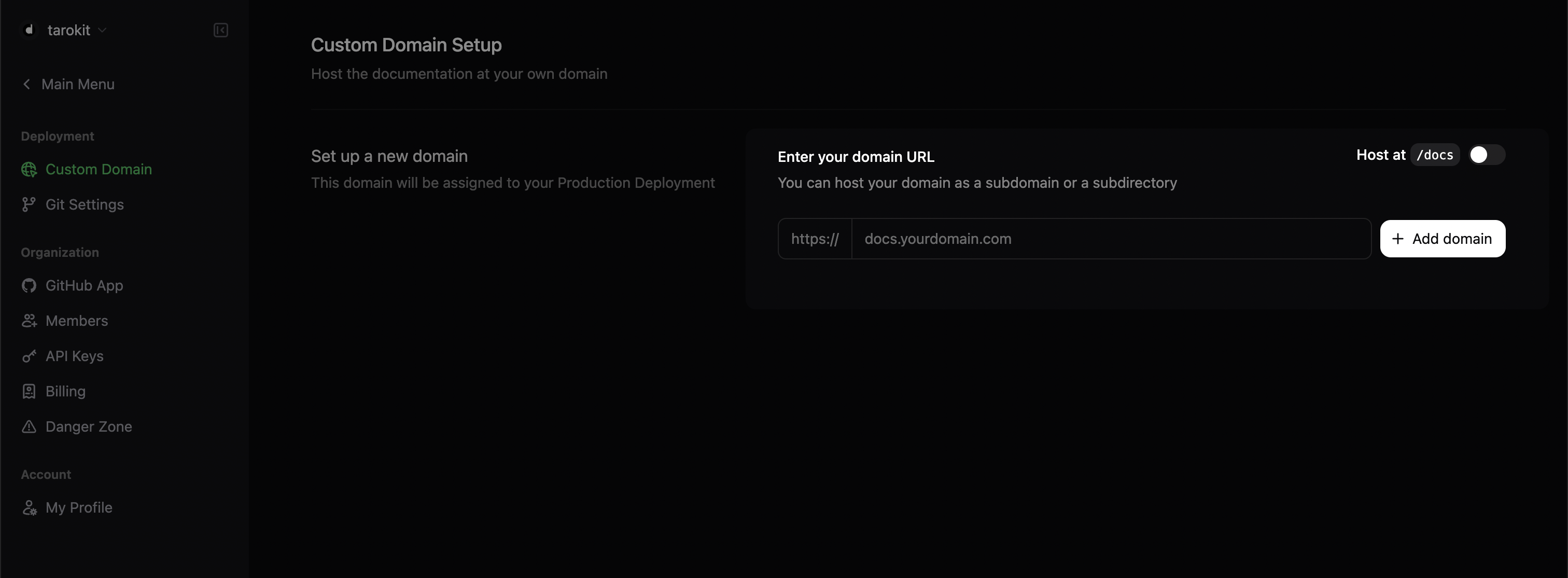
4. Enter your desired custom domain. For example, `docs.mintlify.com`
 ## Configuring your DNS
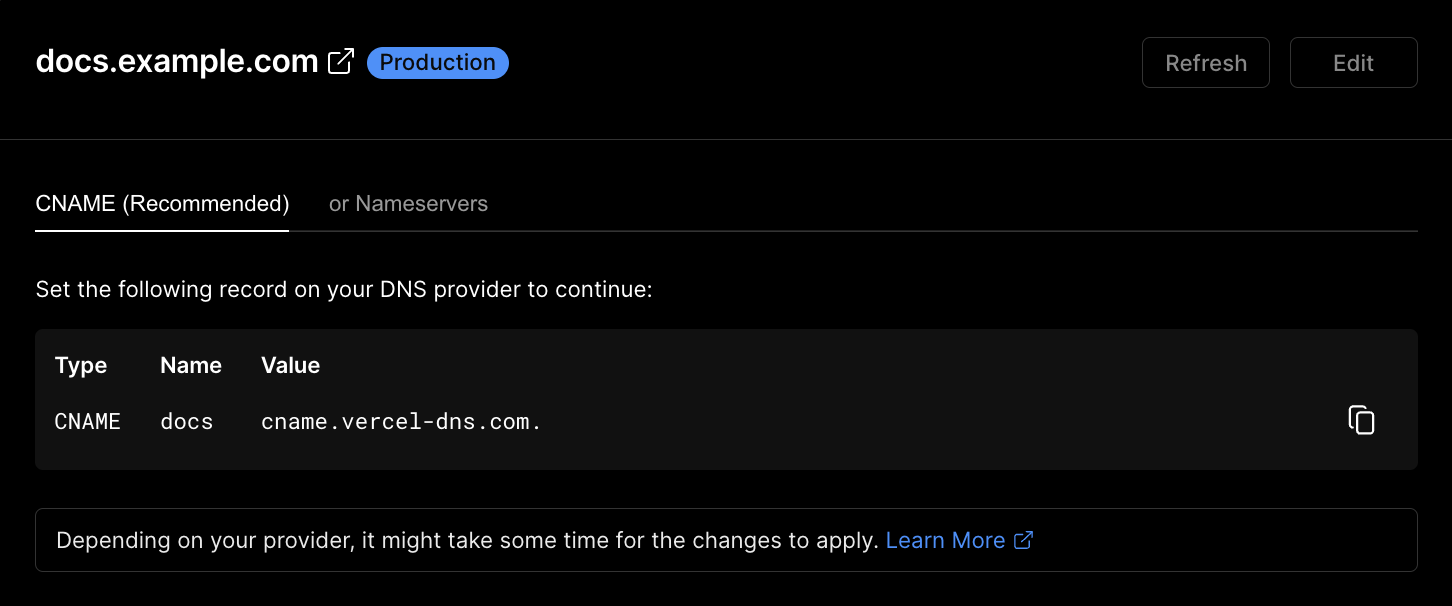
1. Proceed to your domain's DNS settings on your domain provider's website.
2. Create a new DNS entry, inputting the following values:
```bash
CNAME | docs | cname.vercel-dns.com.
```
## Configuring your DNS
1. Proceed to your domain's DNS settings on your domain provider's website.
2. Create a new DNS entry, inputting the following values:
```bash
CNAME | docs | cname.vercel-dns.com.
```
 ## Provider-specific settings
If Vercel is your domain provider, you must add a verification `TXT` record. This information will show on your dashboard after submitting your custom domain, as well as be emailed to you.
If Cloudflare is your DNS provider, you must enable the "full strict" security option for the https setting.
## Provider-specific settings
If Vercel is your domain provider, you must add a verification `TXT` record. This information will show on your dashboard after submitting your custom domain, as well as be emailed to you.
If Cloudflare is your DNS provider, you must enable the "full strict" security option for the https setting.